TURN and STUN Server | WebRTC
shweta-goel
03 Jul 2017 10:28 AM
Most of the devices used by us are behind NAT(Network Address Translation). NAT gives private IP addresses access to the Internet. A single device say router can be act as an agent between public IP addresses and Private IP addresses with the help of NAT. A NAT device can use a single public IP address to represent many private IP addresses.
The reason behind the existence of NAT is that after 90's the consumption of Internet grow in such a fast manner that IPs which were assigned to the host were being lost and it seemed as if the Internet growth will be stopped due to lack of IPs so the work for the solution had been started. NAT is one of the solution for this. NAT adds an another layer of security within an organization. It hides a private network from outside world. NAT maintains two types of IP. 1) Private IP 2) Public IP The IP address which can be used as private IPs can be in the range of Class A 10.0.0.0 - 10.255.255.255 Class B 172.16.0.0 - 172.31.255.255 Class C 192.168.0.0 – 192.168.255.255 We can use single public IP address to give the access to various private IP address. We can understand this with the help of following Example Suppose there is a PC(Personal Computer) with private IP (source address)10.0.0.1 and a server with IP 10.0.0.2.For communication when request moves to router which has NAT configured inside it,it will translate this address into public address by making NAT table.| Source Local IP address | Source Global IP Address |
| 10.0.0.1 10.0.0.2 | 171.69.58.80 171.69.58.91 |
Table 1:NAT Table
Now the IP address of above PC is 171.69.58.80 for everyone and everyone thinks that request comes from 171.69.58.80. Similar process of mapping the IPs followed while responding to the request. The response come back to the router for the IP 171.69.58.80 as discussed above , the IP 171.69.58.80 had mapped to 10.0.0.1 so the response will move back to 10.0.0.1.- Static NAT:-This is one-to-one mapping process. Suppose you want your three PCs to be connected to Internet then you have to buy three IP address for this transmission.
- Dynamic NAT:-In this there is a pool of IP Addresses. The benefit is that all the host in our network can be connected to Internet. Limitation is that the number of people who can access the Internet at a time can be according to the pool taken by us.Ex:-122.*.1.1 to 122.*.1.4,so 4 people at a time can access the Internet but all the hosts in our network can use this IP.
- NAT/PAT:-In this,single IP address can be used to provide Internet to the whole network. Service providers provide the router with this type of NAT configured into it. It is the most popular technique now a days and used in various offices.
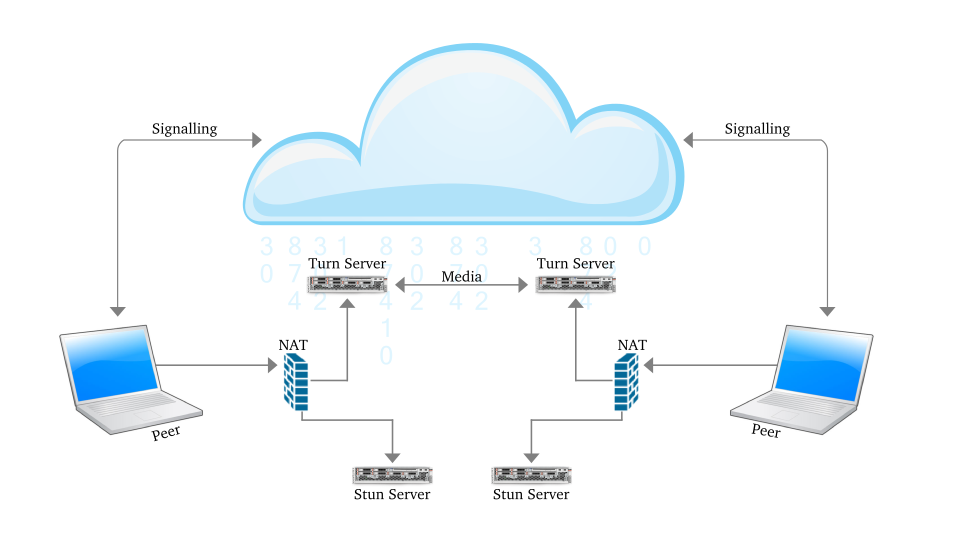
Figure 1:Communication using STUN server
Some NAT devices only allow packets from the remote peer to reach the NATed peer. Thus, a STUN fails here as the STUN server could reach the NATed peer through the server-reflexive address. These NAT devices are called symmetric NATs. For a device to be reachable, a device behind a symmetric NAT needs to initiate and maintain a connection to a relay. Traversal Using Relays around NAT (TURN) is a protocol which is used for the communication with the relay. It is built on top of STUN. The TURN server is located outside the NAT. A NATed TURN client asks the server to allocate a public address and port and relay packets to from that address. In simple words we can say that unlike STUN, a TURN server remains in the media path after the connection has been established. That is why the term “relay” is used to define TURN. The address which is allocated by the TURN server is called the relayed address. The TURN server tells that address to the TURN client. In every NAT case,almost the communication is possible through TURN server.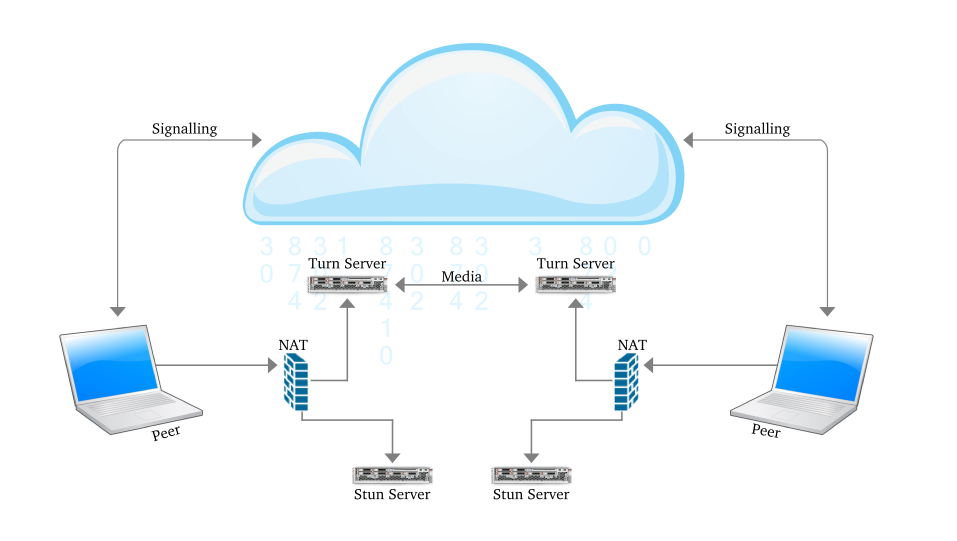
Figure 2:Communication using TURN Server
To tell the other party about these addresses ICE is used. Interactive Connectivity Establishment (ICE) has the responsibility to find the path which is best for the peers to communicate with other. ICE first tries to make a connection using the host address obtained from a device operating system ; if connection is not established (which it will for devices behind NATs) , an external address using a STUN server is obtained by ICE, and if that also fails, traffic is routed via a TURN relay server. In other words:- A STUN server is used to get an external network address.
- TURN servers are used to relay traffic if direct (peer to peer) connection fails.
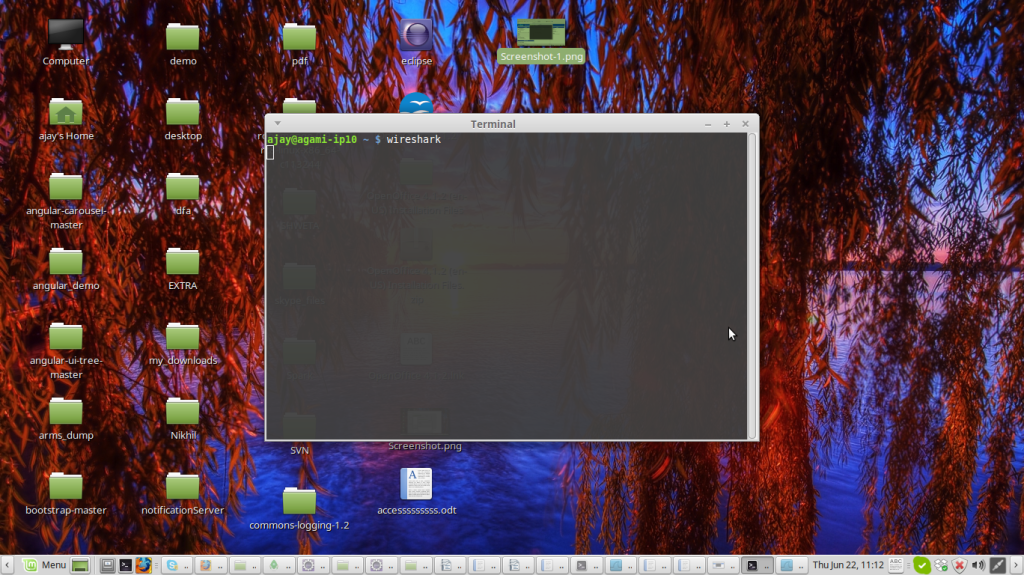
Figure 3:Screen shot to start wireshark
the below window will appear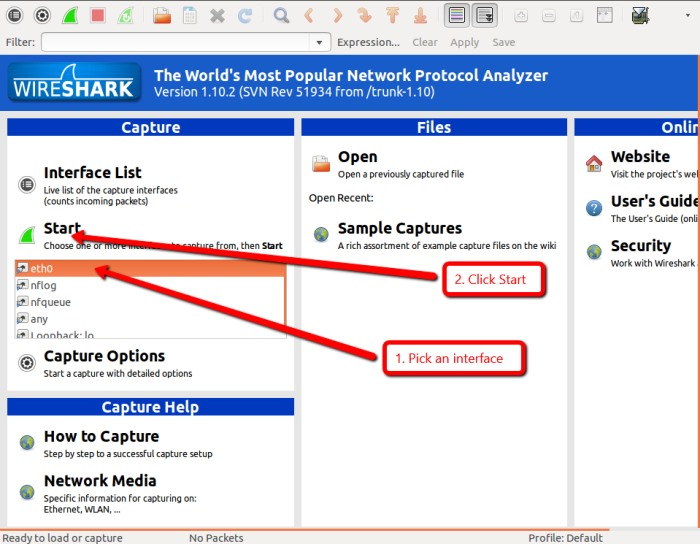
Figure 4:Main Window of WireShark
Click on the network interface you want to use to capture the data. On a wired network, it will likely be eth0. Now click Start. Wireshark will begin capturing traffic and displaying it as a color coded list in the main window.- TCP traffic is green
- UDP packets are light blue
- ARP requests are yellow
- DNS traffic is shown in dark blue.
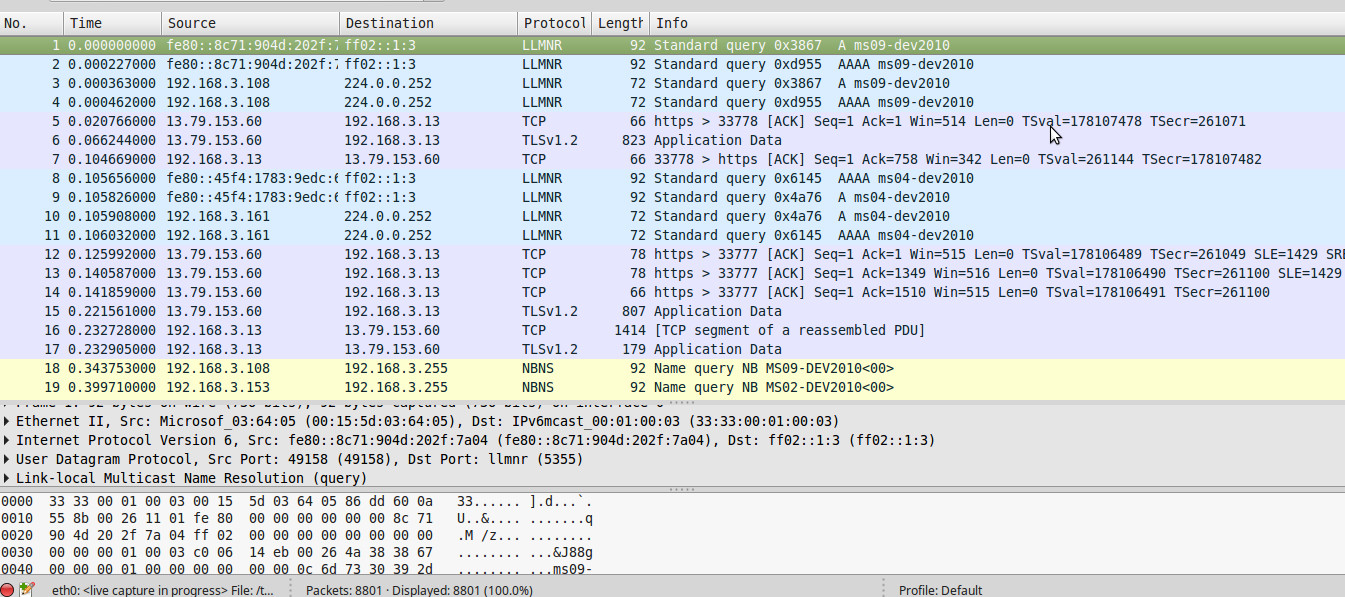
Figure 5:-Wireshark showing exchange of Packets
Wireshark can filter the type of protocol .For example, to see all the DNS related traffic that has comes from a particular host, use the filter ip.src==192.168.1.101 and dns where 192.168.1.101 is the source address you want to filter.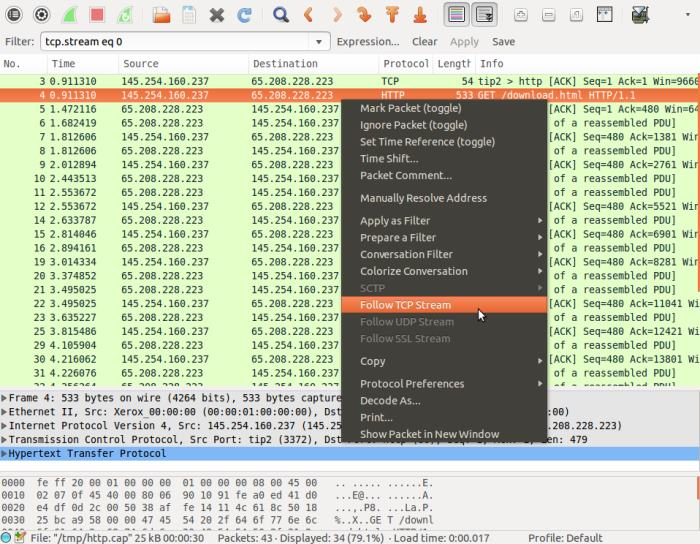 Figure 6:-Wireshark Filtering Data
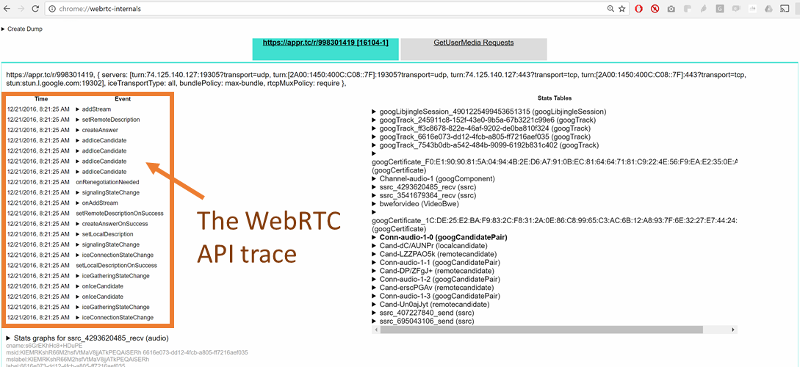
Figure 7:-WebRTC-internals showing ice candidates
You can click on any of these APIs to see its parameters.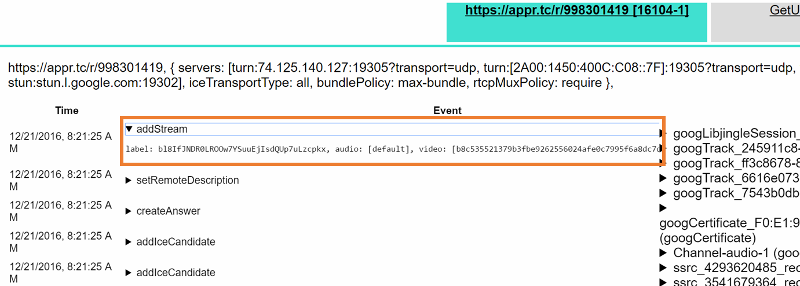 If STUN or a TURN server is being used, you should be able to see a onicecandidate() event with a candidate that has a ‘typ srflx’. Similarly, if you use a TURN server, you need to check if you get an onicecandidate() event where the candidate has a ‘typ relay’. If you are able to see only the host candidates you might be on a network which blocks both UDP and TCP traffic. One scenario where that might happen currently is if there is a proxy that requires authentication which is not yet supported by Chrome.
 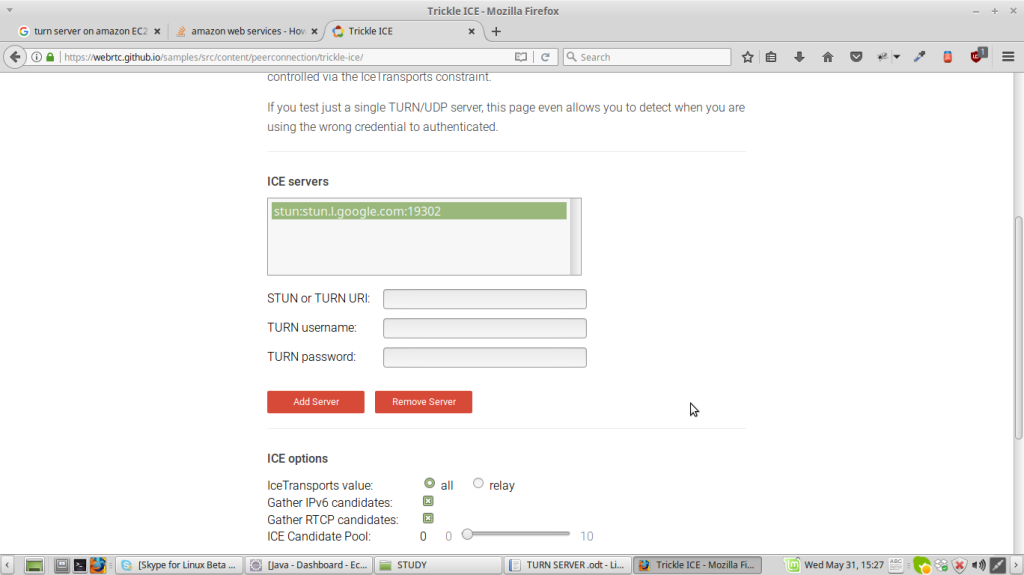 Figure 8:Trickle ICE
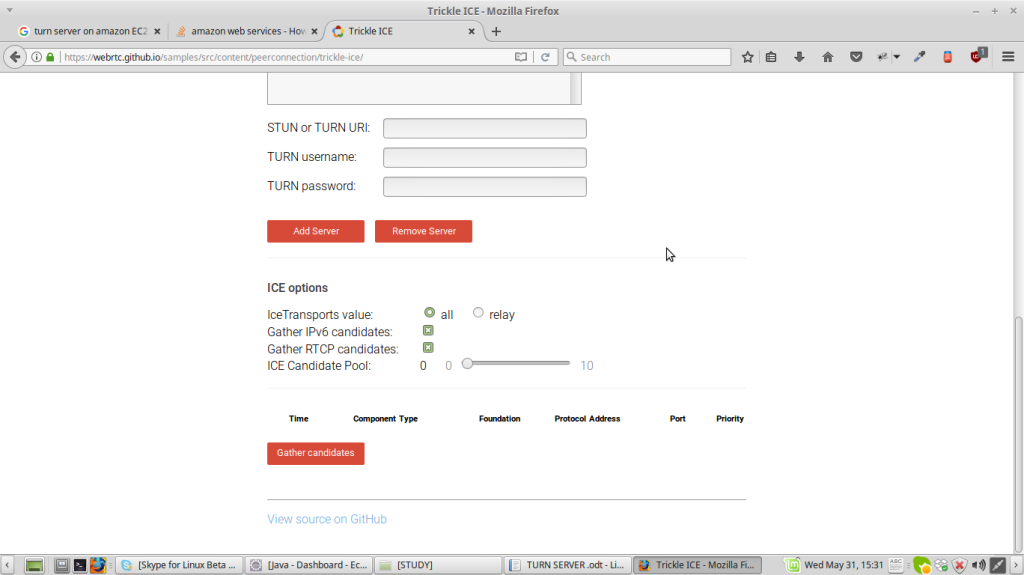 you will be able to see
 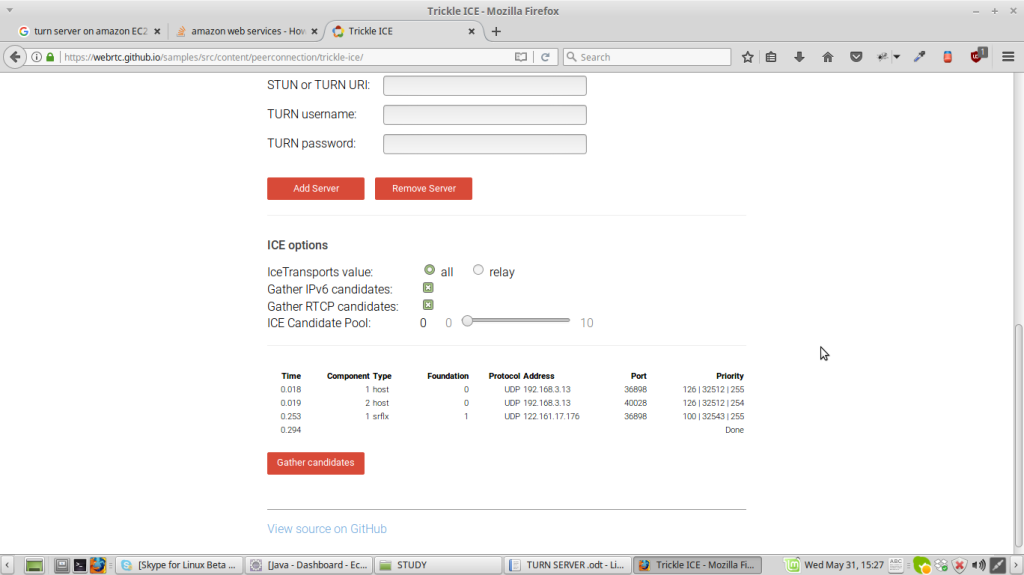 Under component type you will be able to see 1 host,1 srflx. NOTE:- 1.If Turn server is being used then you will see relay inspite of srflx(server reflexive) 2.The username and password are to be filled should match with the username and password given in the command to run turnserver(turnserver -u : where -u is user credentials to be used ) otherwise you will not be able to test. And it will show not reachable.